


VanityFilter for Windows
- Paid
- 4.8
- 3
- V3.1.5
Download for Windows
View an ad to download for free

- Sputnik Digital Effects
Smooths only the skin in recorded video, with per-person masks and local processing
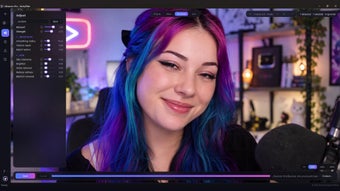
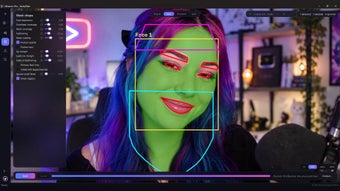
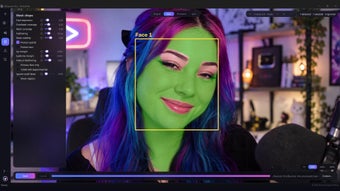
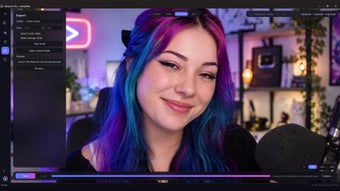
VanityFilter is a standalone Windows application for retouching skin in recorded video. It detects up to five faces per frame, including turned and profile heads, builds a separate mask for each person across face, forehead and neck, and smooths only skin. Eyes, lips, hair, glasses, clothing and the background are left as shot.
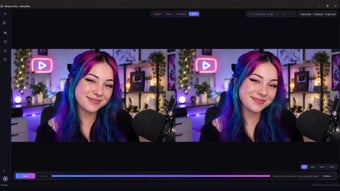
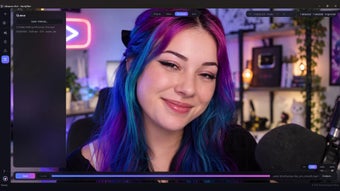
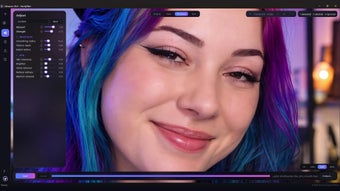
Controls cover smoothing strength, texture repair, detail restore, skin brightening, shine removal, redness reduction and blemish removal, with a master Amount dial and a live preview that matches the export. Original, Mask, Processed and Split views show exactly which pixels are treated. Five built-in presets and four user slots are included, presets can be shared as files, and whole sessions can be saved as projects. Protection around lips, eyebrows and ears is adjustable, and the preview labels which faces are selected for treatment.
It reads MP4, MOV, AVI and MKV and exports H.264 MP4 or ProRes 422 HQ MOV with the audio included. It can also export a grayscale mask matte for Premiere Pro or DaVinci Resolve, plus a settings file. Batch processing is available in the app and through the included command-line tool, vanityfilter-cli.
All processing runs on your PC. Footage is never uploaded, activation works offline and no account is required. An NVIDIA GPU can accelerate H.264 encoding but is not required. VanityFilter is a paid app with a one-time license; a paid 30-day demo license is also available from the official website.
Who it is for: YouTubers, podcasters, course creators, interviewers and video editors who want natural skin retouching on talking-head footage without masking every shot by hand or sending their video to a cloud service.
How it works: drop in one clip or a whole folder, pick a preset (Light touch, Standard, Heavy, Low-light repair or Face only), fine-tune with the live preview, switch to the Mask view to see exactly which skin is treated, then export. VanityFilter always writes a new file and never changes the original.
New in version 3.1.5: project files (.vain) that restore your clips, settings, trim and export options; Lip margin, Eyebrow margin and Feature feathering controls for finer protection around the mouth and brows; ear protection that follows head turns; clear labels for detected, selected and ignored faces; and export processing that overlaps stages on multi-core CPUs.
Useful extras: hold Space to compare against the original, render a short test range before a full export, use Primary face only or Ignore small faces when an interview has background faces or portraits, see export time estimates, and work in an English or Latin American Spanish interface with a matching user manual.
System requirements: 64-bit Windows 10 version 1809 or later, or Windows 11; about 800 MB of disk space; any modern CPU, with an NVIDIA GPU optional. Everything ships in the signed installer: no Python, plugins or codec packs to install.
Loading…
App specs
Developer
- Sputnik Digital Effects
License
Full
Version
3.1.5
Latest update
Platform
Windows
OS
Windows 10
Language
English
Available languages
- Spanish
- English
Downloads
3
Last month's downloads
- 3
Size
207.83 MB
Program available in other languages
VanityFilter for PC
- Paid
- 4.8
- 3
- V3.1.5
Download for PC
View an ad to download for free
User reviews about VanityFilter
Have you tried VanityFilter? Be the first to leave your opinion!
Add reviewTop downloads Video for Windows

VLC media player
The all-in-one solution for media playback

VidMate
A free high-quality video downloading platform

Adobe Premiere Pro
Download Adobe Premiere Pro for Windows – Professional Video Editing at Your Fingertips

Format Factory
A very powerful and versatile free file converter.

4k Video Downloader
Robust media downloader utility
Top downloads Video for Windows
VLC media player
The all-in-one solution for media playback
VidMate
A free high-quality video downloading platform
Format Factory
A very powerful and versatile free file converter.

Adobe After Effects
The industry standard for professional motion design
Adobe Premiere Pro
Download Adobe Premiere Pro for Windows – Professional Video Editing at Your Fingertips
Top downloads Video for Windows
VLC media player
The all-in-one solution for media playback
VidMate
A free high-quality video downloading platform
Adobe Premiere Pro
Download Adobe Premiere Pro for Windows – Professional Video Editing at Your Fingertips
Format Factory
A very powerful and versatile free file converter.
Adobe After Effects
The industry standard for professional motion design
Related topics about VanityFilter
Latest articles

Everything Apple unveiled at the Welcome Home event, in a few words
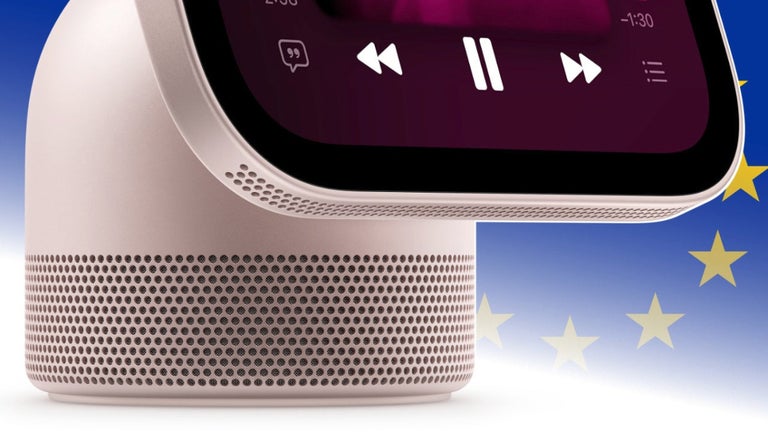
Apple launches HomeView but leaves Europe out: why won’t we be able to buy it?

Nintendo may target chatbot-made PC ports next: fan builds are accelerating

3 Body Problem gets seasons 2 and 3 on Netflix after 536 million hours watched
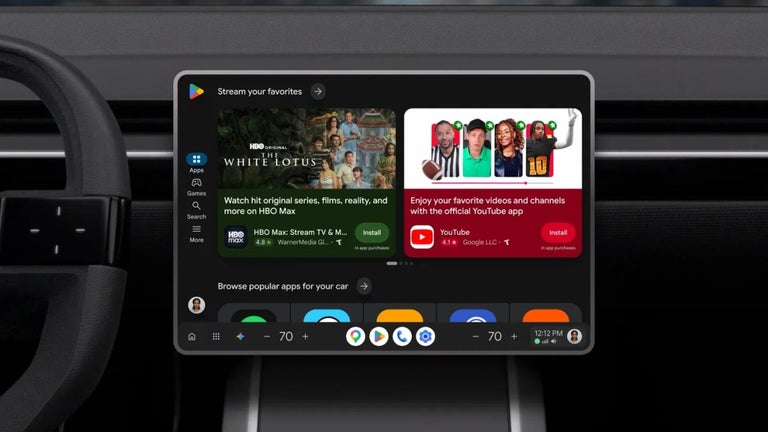
YouTube on Android Automotive now gets background play
Laws concerning the use of this software vary from country to country. We do not encourage or condone the use of this program if it is in violation of these laws. Softonic may receive a referral fee if you click or buy any of the products featured here.